eSign Portal Overview
OneSigner eSign is a complete send-for-signature workflow built into your own OneSigner server — a self-hosted alternative to DocuSign-style services. Documents stay on your machine, signatures are real digital signatures (with hardware tokens where you want them), and there are no per-envelope fees: it is included in your one-time license.
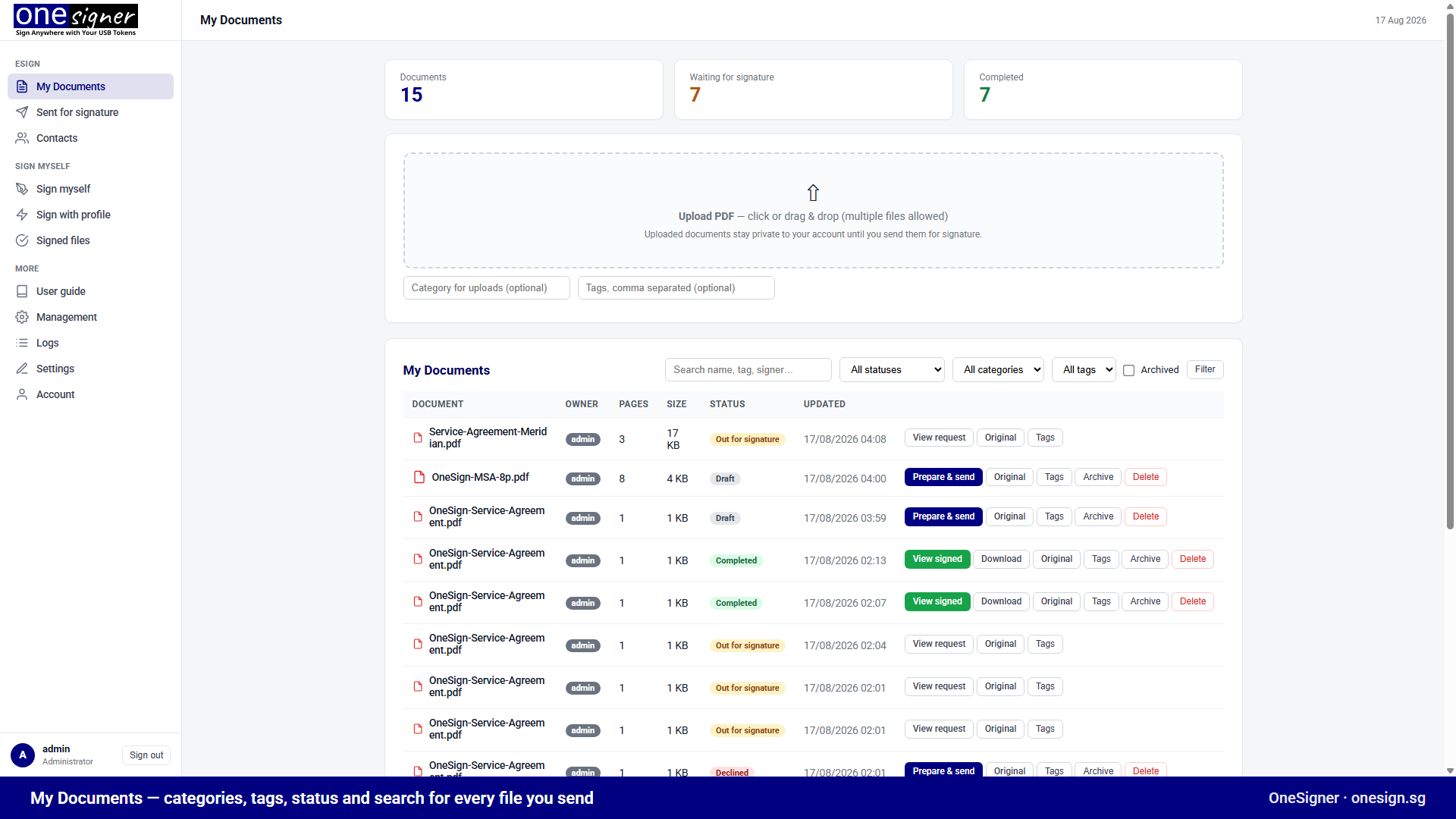
What You Get
- My Documents — upload PDFs, organise with categories and tags, filter and search, archive.
- Prepare & send — a drag-and-drop field builder: place Signature, Text, Checkbox, Radio and Select fields for each signer directly on the rendered PDF.
- Sequential signing — multiple recipients sign in order; each receives an email link when it is their turn. No signer account required.
- Two signing modes per signer —
- Digital signature: the signer signs with their own USB token via the free OneSignerBridge helper — a personal PAdES digital signature.
- Electronic signature: the signer draws or types their signature; the server then seals the document with your organisation's digital certificate.
- Access codes — optionally protect each signer's link with a code you share out-of-band.
- Workflow management — decline with reason, request expiry, automatic email reminders, edit before the first signature, clone & re-send, cancel.
- Templates & bulk send — save field layouts for reuse; send one document to many recipients at once.
- Audit trail — every event (sent, viewed, access code attempts, field values, signatures with certificate details) is recorded per envelope.
- Contacts — a reusable address book of frequent signers.
- Branding — your logo, colours and footer on the portal, signing pages and notification emails.
- Built-in viewer — view signed PDFs in the browser regardless of the recipient's PDF plugin settings, plus download of the signed file and the original.
The Flow at a Glance
- Upload a PDF in My Documents.
- Prepare: add recipients, drop fields per signer on the pages, write a message.
- Send: signer 1 gets an email link immediately.
- Sign: each signer fills their fields and signs — with their own token or electronically — then the next signer is invited automatically.
- Complete: everyone gets access to the final document; you see status and the full audit trail under Sent for signature.
Why Signatures Stay Valid
Each signer produces a new PDF revision using incremental updates; fields for later signers are added as annotations that do not touch already-signed content. The server verifies every signature after each signing step. Result: in Adobe Acrobat, all signatures — first to last — show as valid.
Requirements
- OneSigner service running, reachable by your signers (LAN, VPN, or a public HTTPS URL via the built-in Cloudflare Tunnel).
- SMTP configured to send email links (without SMTP you can copy links manually).
- For electronic (no-token) signers: a seal certificate profile — see The Signer Experience.
Next Steps
Related: New to envelopes? Follow a two-signer agreement from start to finish. For where electronic signatures stand legally in Singapore, see the ETA and what it means for your documents.