Six Ways to Sign With One OneSigner Machine
Every OneSigner deployment is the same shape: USB tokens plugged into one Windows machine, and everything else connecting to it. What varies is how people and systems reach that machine. Here are all six ways in — and when to use each.
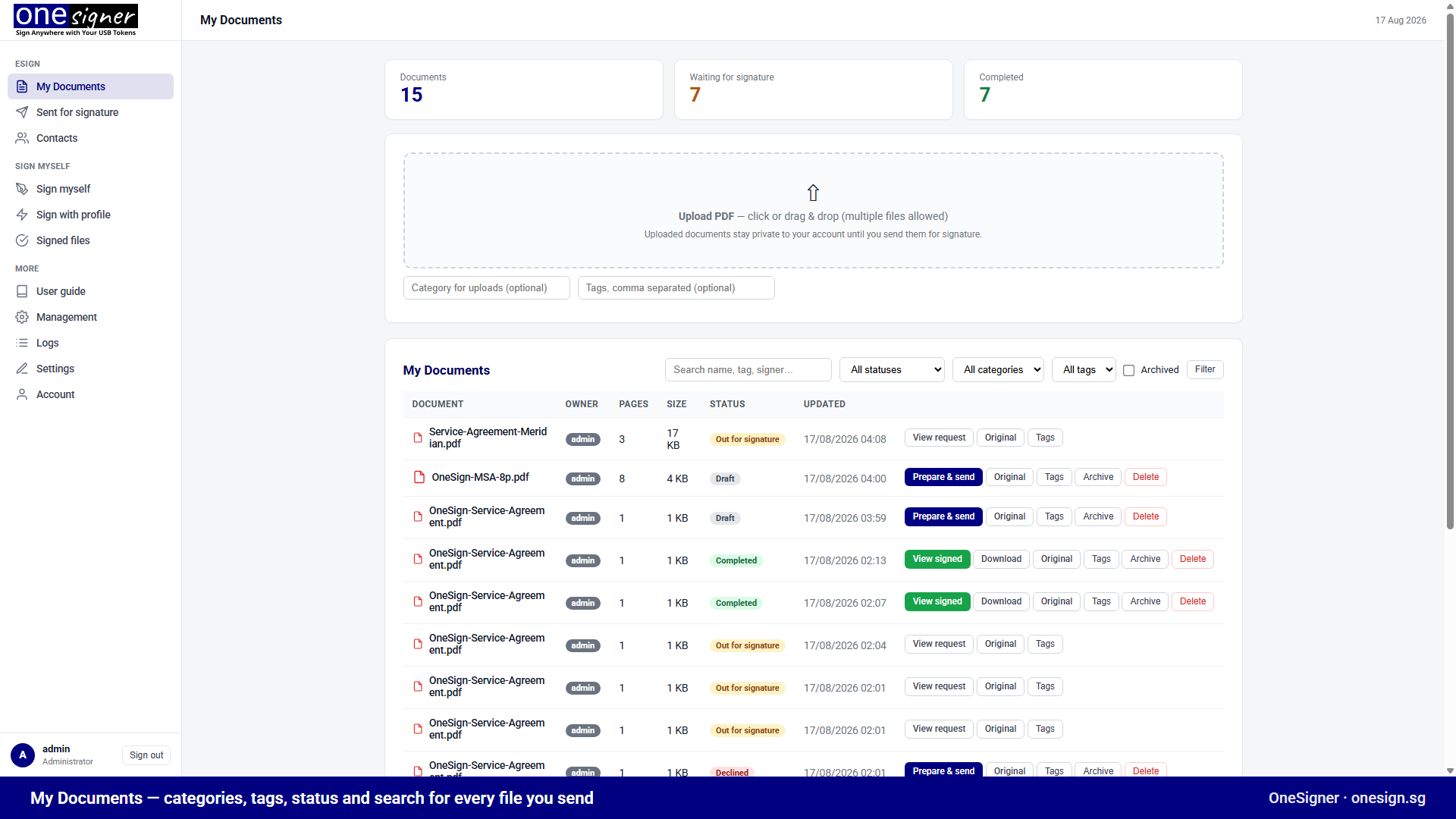
1. The browser portal — for people
Staff log in, upload a PDF, and sign with the company certificate — or drag the signature box to the exact spot on the page before signing. Roles and per-user permissions decide who may sign with what.
2. The REST API — for your systems
One call from your ERP, DMS or script:
curl -H "Authorization: Bearer <TOKEN>" -F "file=@contract.pdf" "https://sign.yourco.com/api/upload?download=true" -o contract-signed.pdf
Per-tenant bearer tokens, status endpoints, file listing and download included. Full details in the API reference.
3. Watched folders — for zero-code automation
Point any system that can save a file at the source folder. OneSigner detects it (watcher + polling for network shares), signs by profile, and drops the result in the output folder. The classic setup for invoice runs — see the folder watch guide.
4. CI pipelines — for release builds
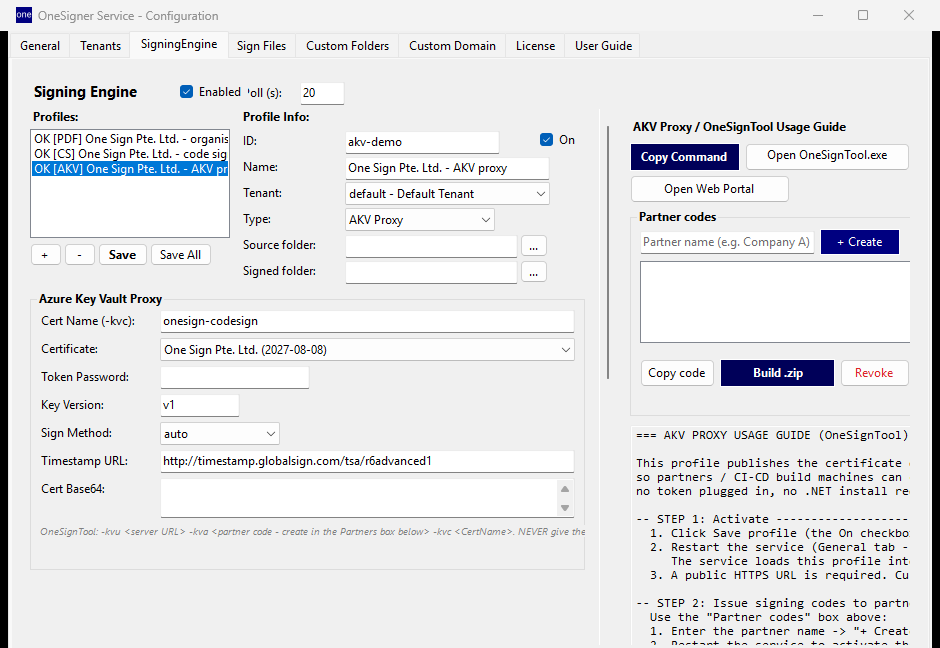
OneSigner exposes a Key-Vault-compatible endpoint, so AzureSignTool / OneSignTool sign your builds remotely while the EV key stays in the token in your office:
OneSignTool sign -kvu https://sign.yourco.com -kva <TOKEN> -kvc my-ev-cert -fd sha256 -tr http://ts.ssl.com installer.exe
5. eSign envelopes — for external signers
Send a document out for signature like DocuSign: recipients get an email link, fill their fields and sign in order — with tokens of their own or as guests sealed by your organisation's certificate. Walkthrough here.
6. OneSignerBridge — personal tokens, anywhere
Colleagues and partners who hold their own USB token sign in the browser while the free Bridge talks to their local token — the PDF never leaves their PC. Guide: visual signing.
Mix them freely
All six run against the same profiles, the same tokens and the same signing log. Start with the portal on day one, add folders for the back office in week one, and point CI at it whenever the next release ships. Try it free for 30 days.