OneSigner Today: PDF Signing, Code Signing and a Full eSign Portal in One Platform
OneSigner began as an automated PDF-signing service. Today it is a complete signing platform: automated PDF signing, Windows code signing, and a full send-for-signature eSign portal — all on your own server, all with your own USB tokens, all under one perpetual license.
One Platform, Three Jobs
1. Automated PDF Signing
Signing profiles + folder watch + REST API. Drop a PDF in a folder or POST it to /api/upload and a digitally signed file comes out — position found by text pattern or fixed coordinates, appearance fully customisable, multiple signatures per document supported.
2. Windows Code Signing
Authenticode signing for EXE, DLL, MSI and friends, with the PIN handled automatically so CI builds never hang on a dialog. The Azure Key Vault proxy even lets AzureSignTool and OneSignTool sign remotely — build machines send hashes, your token never leaves the server, and there are no per-signature cloud fees.
3. eSign — Send for Signature
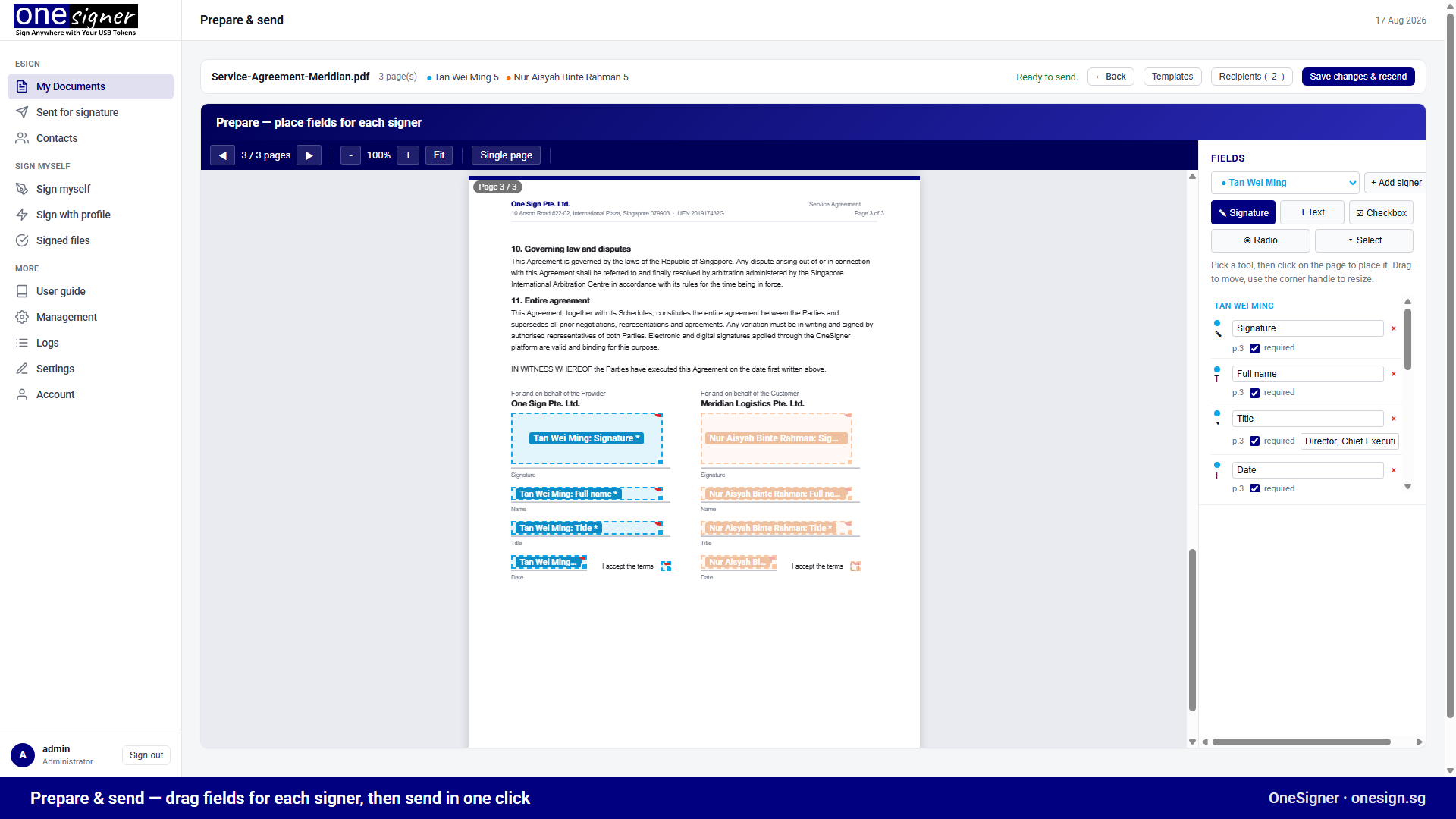
The newest pillar: upload a PDF, drag signature/text/checkbox fields onto it for each recipient, and send. Signers work through email links in sequence — no accounts needed. Each signer either uses their own USB token through the free OneSignerBridge helper (a personal digital signature, computed on their machine) or signs electronically with your organisation's certificate sealing the document. Reminders, expiry, templates, bulk send, branding and a full audit trail are built in.
Also in the Platform
- Visual signing — render any PDF in the browser, click where the signature goes, sign with your token. With the Bridge, the file never leaves your machine.
- Multi-tenant — one instance, many isolated clients or departments, each with its own token, folders and profiles.
- Cloudflare Tunnel — a public HTTPS URL for your API and signing pages without opening a single firewall port.
- Positional signing API — callers can override the signature position per request, in PDF points.
The Pricing Model Hasn't Changed
OneSigner remains a one-time purchase: perpetual license, a year of free updates, no per-signature, per-envelope or per-user fees. Compare that with subscription e-sign platforms and cloud signing services — the difference funds your entire token hardware several times over.
Try everything free for 30 days → · See pricing →
Related: For what shipped most recently, see the latest release notes.