Guest e-Signing With a Company Seal (No Token Needed)
Not every signer owns a USB token. OneSigner's eSign envelopes let you mix both kinds of signers in one document: colleagues sign with their personal token through OneSignerBridge, while guests simply draw or type their signature — and the document is then sealed with your organisation's digital certificate so the final PDF still carries a cryptographic signature that validates in Adobe.
The two signer modes
- Bridge (digital signature): the signer has their own USB token. Their browser talks to the free OneSignerBridge on their PC; the signature is made by their certificate and the PDF never leaves their machine.
- Electronic (no token): the signer draws or types their signature in the browser. Their marks are stamped into the PDF, and the server then applies your organisation's digital seal on top.
You choose the mode per signer when preparing the envelope — a contract can have your director signing with an EV token and the counterparty signing electronically, in one flow.
Step 1 — Configure the seal certificate
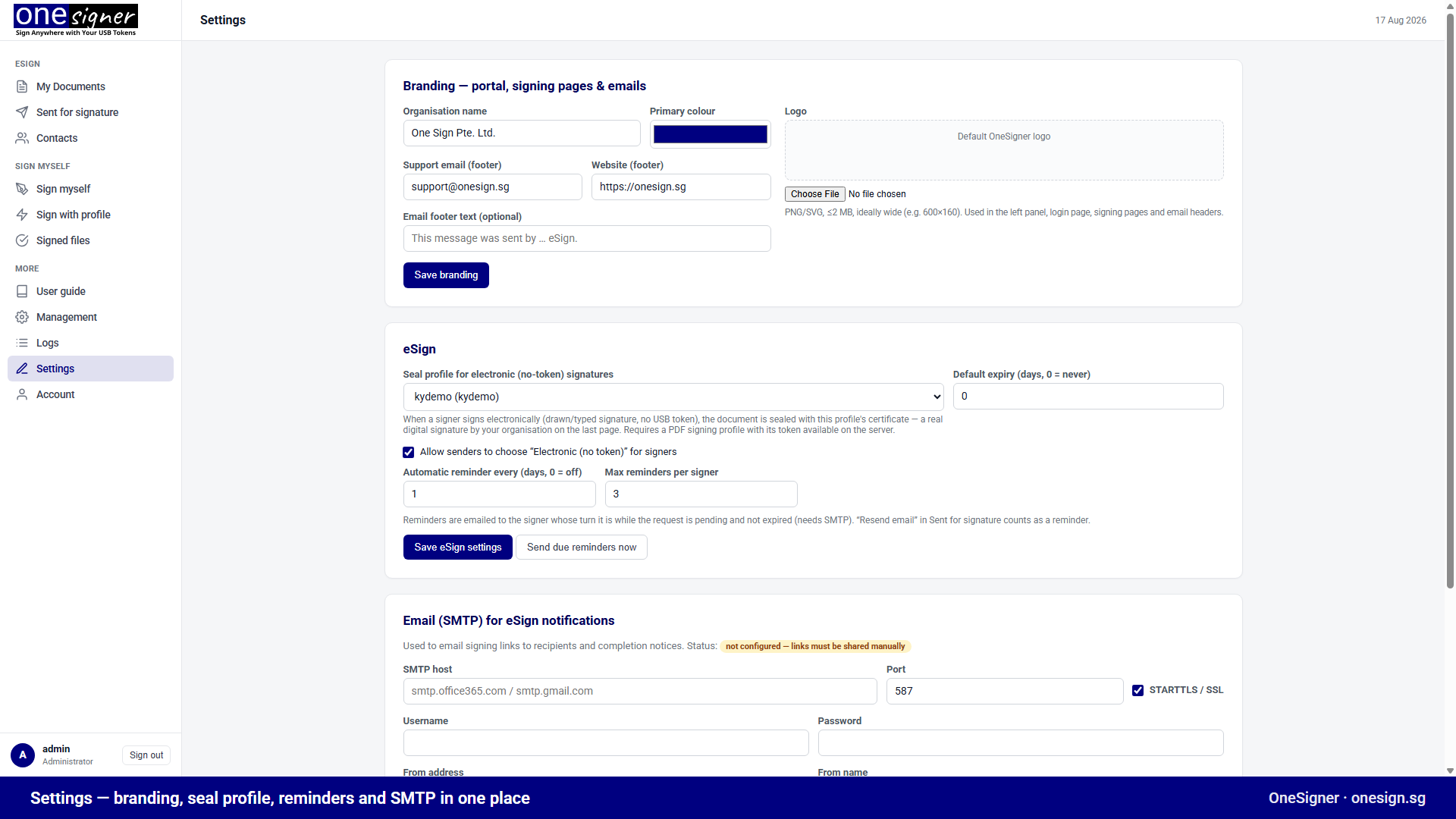
- Open Settings → eSign in the web portal.
- Pick the seal profile — a PDF signing profile bound to your organisation's document-signing certificate (on a token plugged into the OneSigner machine).
- Enable electronic signing. Without a seal profile, electronic signers are stamped and logged but the PDF gets no digital seal — configure the profile to get the green tick.
Step 2 — Prepare the envelope
Upload the document, add recipients, and for each recipient choose Bridge or Electronic. Place a signature field for every signer, plus any text, checkbox or date fields they must fill.
Step 3 — What the guest signer sees
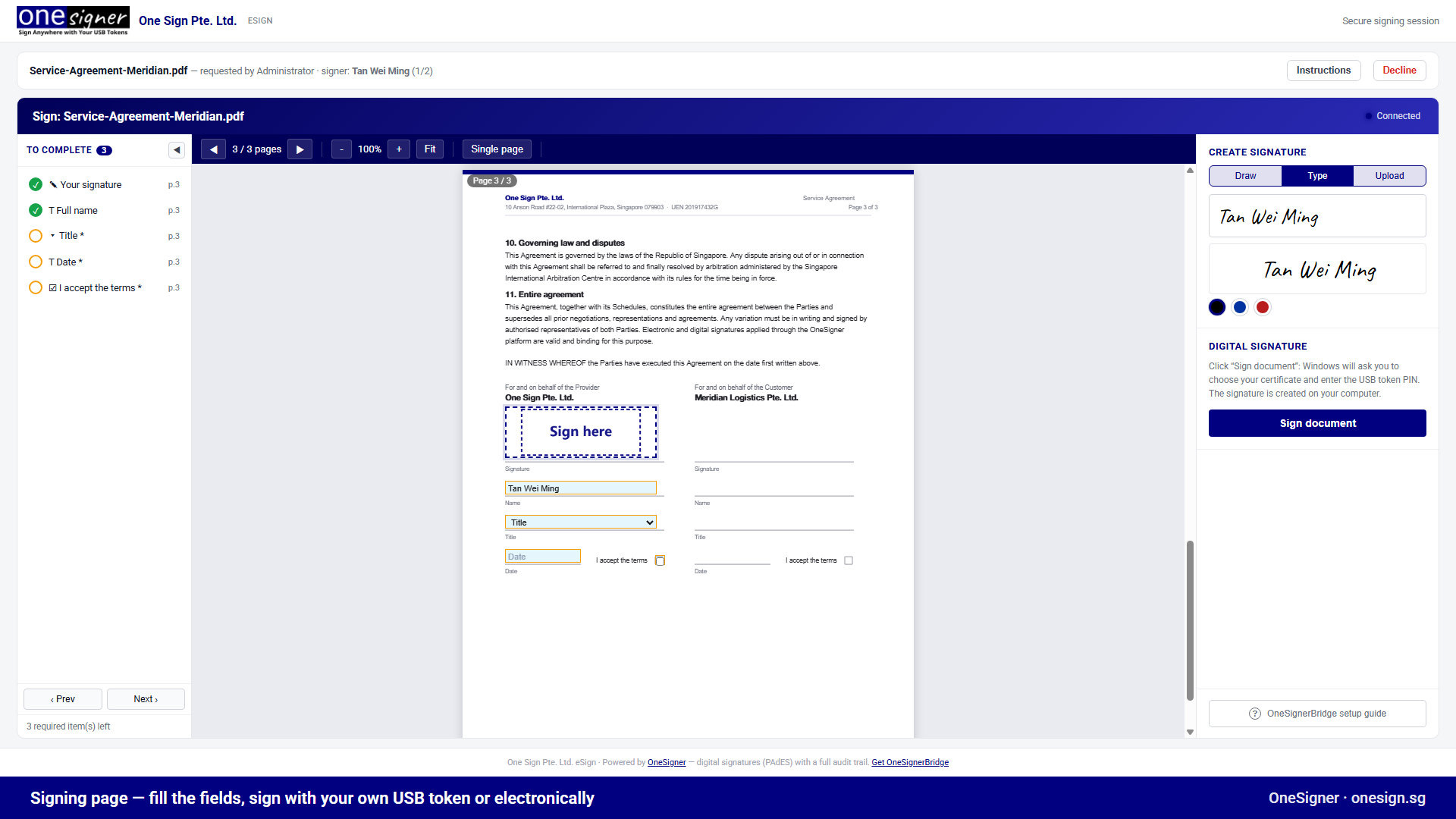
They open the email link — no account, no install. After entering the access code (if you set one), they fill their fields and draw or type their signature.
What ends up in the PDF
- The guest's drawn/typed marks, stamped into the page.
- Your organisation's digital seal — one per electronic signer, timestamped, so Adobe shows a valid signature panel.
- The audit trail: who opened, when, from where, and what they did — kept per envelope.
Legal note
An electronic (drawn) signature plus an organisation seal is a widely accepted e-signature pattern for commercial agreements. Where your jurisdiction or counterparty requires a personal digital signature, use Bridge mode with the signer's own certificate instead — the envelope supports both in the same document. That produces an advanced electronic signature (AdES); it reaches qualified (QES) under eIDAS only where the signer's certificate is qualified and their token is a QSCD.